

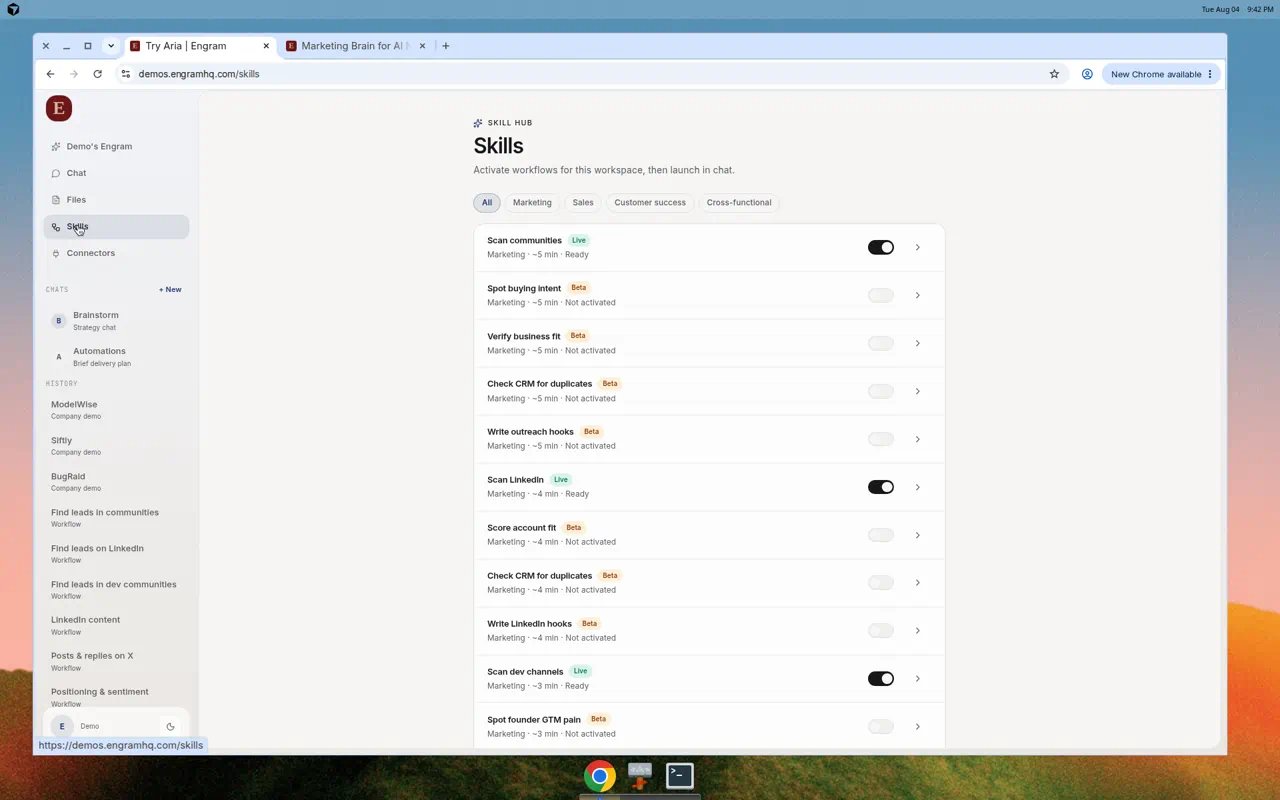
Skill Hub with Live marketing skills activated and Beta skills available.
Lanes and status
Activate and launch
1
Open Skills
Choose Skills in the left nav.
2
Turn on a skill
Use the toggle on a Live skill such as Scan LinkedIn or Scan communities.
3
Open details
Select the skill row to open the detail panel. Read runtime, required tools, and description.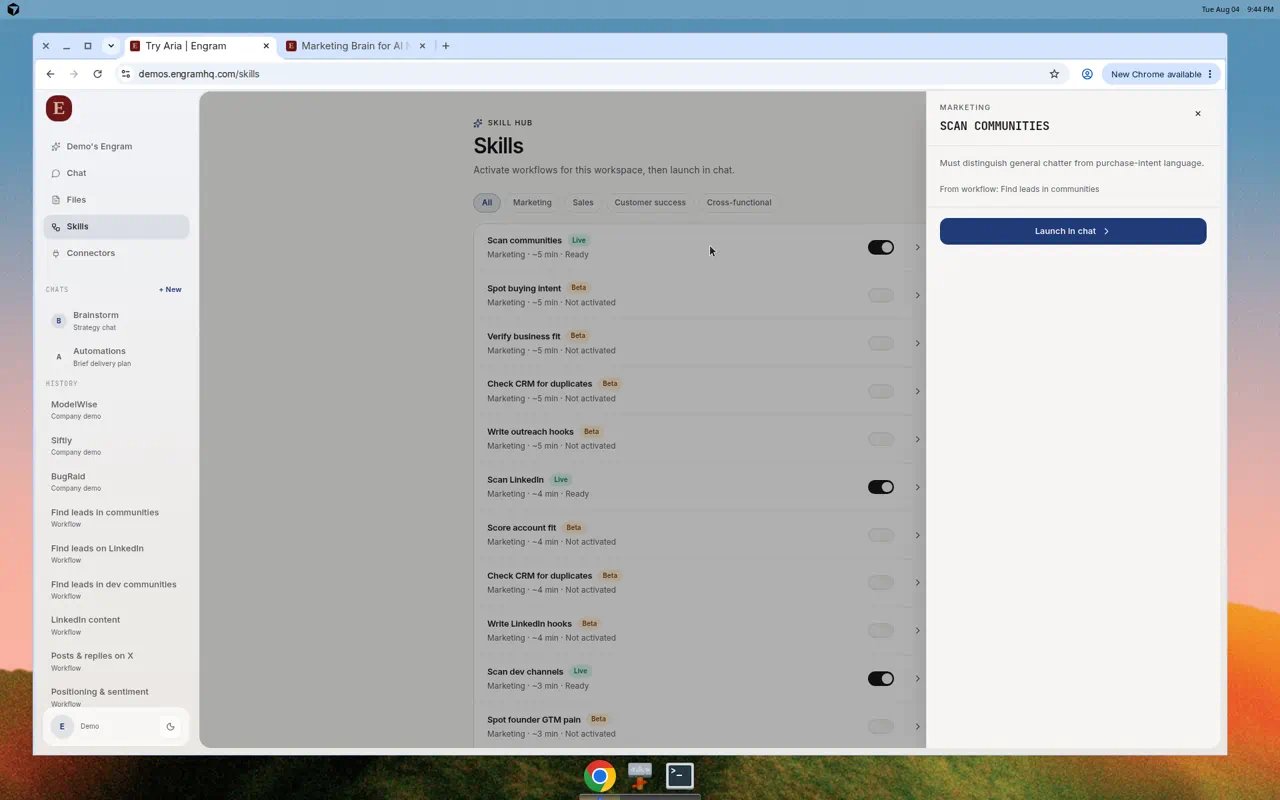
Skill detail with Launch in chat.
4
Configure and launch
Fill required fields (for example competitor name, channel, time window), then Launch in chat. Aria continues the run in Chat with progress steps.
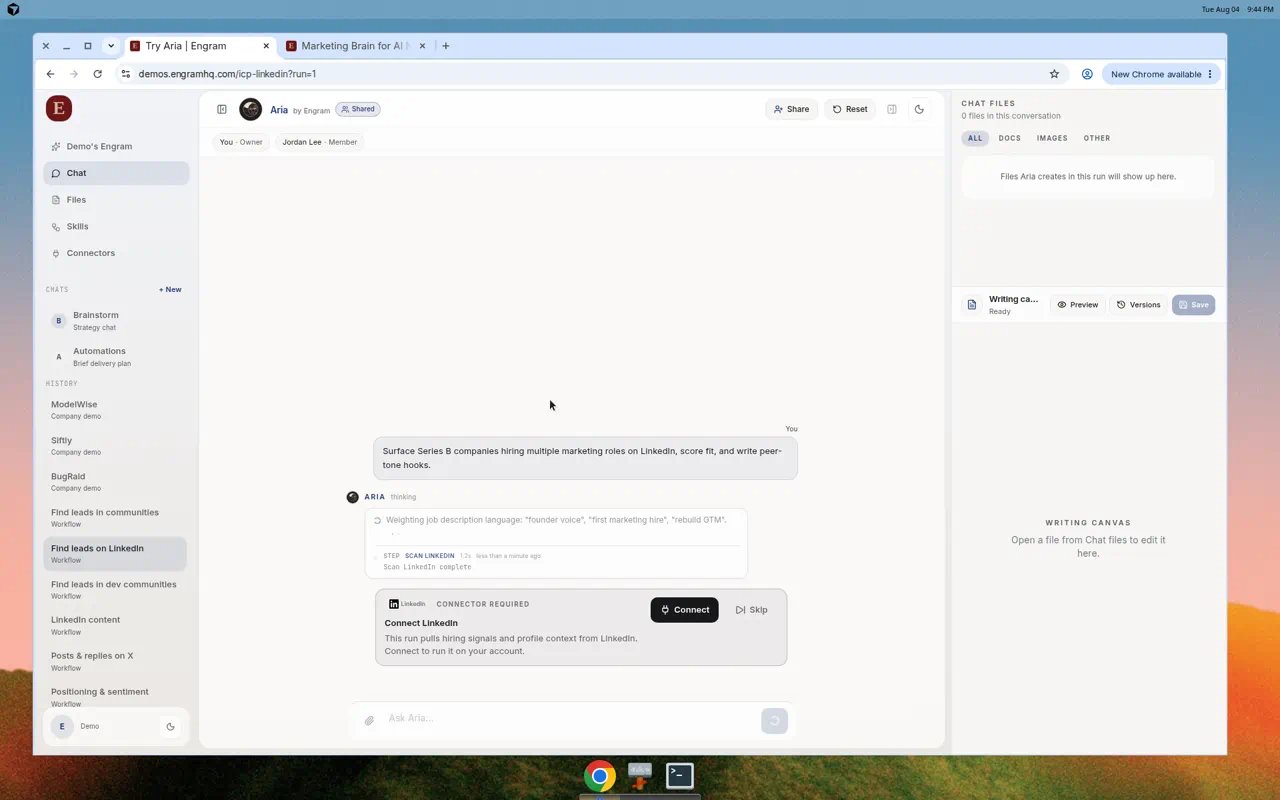
Skill run progress inside Chat, including connector requirements for the step.
Example: Competitive intel → content brief
A common Live skill path:- Activate the content / competitive intel skill.
- Set competitor, channel (LinkedIn or X), and time window.
- Launch in chat.
- Edit the brief in Writing canvas.
- Promote to Files or export to Notion / Slack if connected.
Tips
- Prefer Live over Beta for customer-facing drafts.
- If readiness says Limited tools, connect the missing connector first.
- Deep links can open Chat with
skill_idand autostart when you share an internal run link.