

Goal
Find companies hiring for roles that signal your ICP pain, score fit, and draft peer-tone hooks.Who this is for
Founders and GTM leads who prospect from hiring and public LinkedIn signals.Steps
1
Activate the skill
Open Skills, turn on a Live LinkedIn / lead skill, and open its detail panel.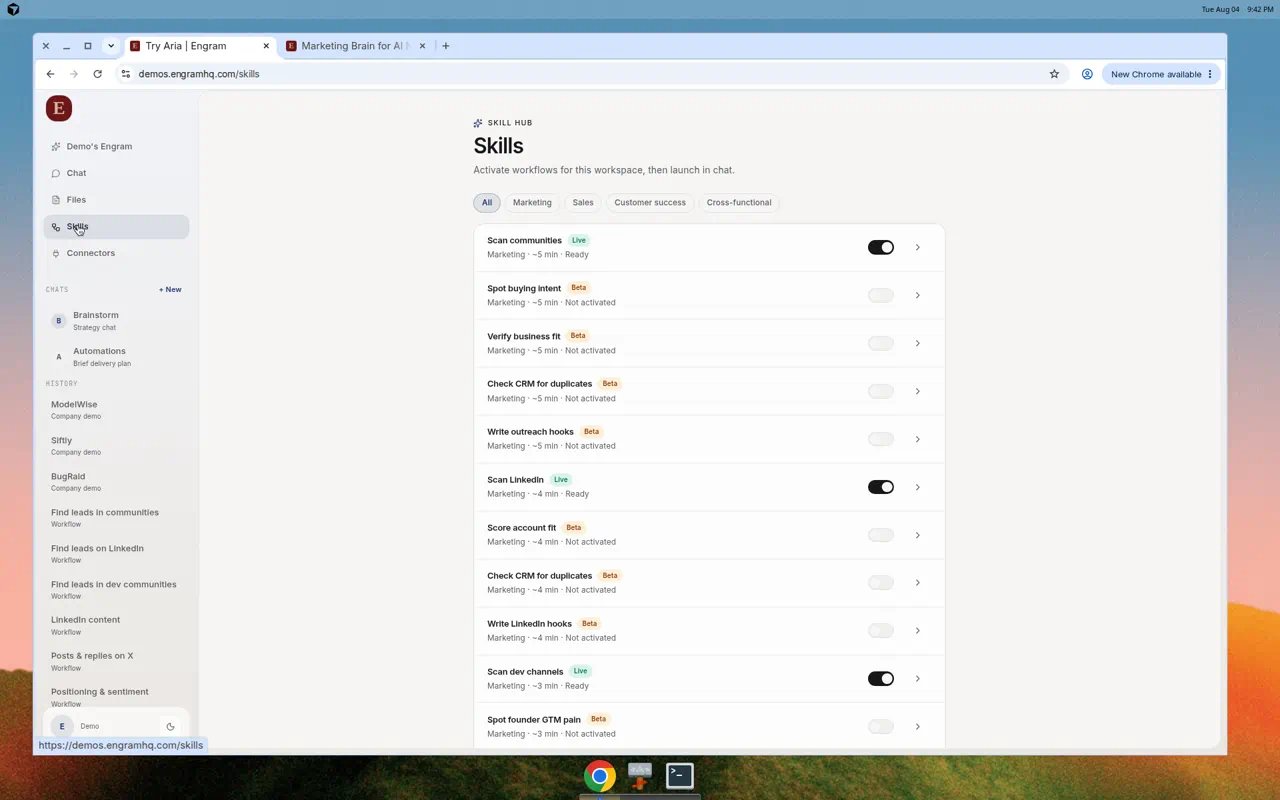
Activate Live skills in Skill Hub before you launch.
2
Launch in chat
Choose Launch in chat and confirm inputs such as segment, role signals, and time window.
3
Steer with a concrete prompt
Example: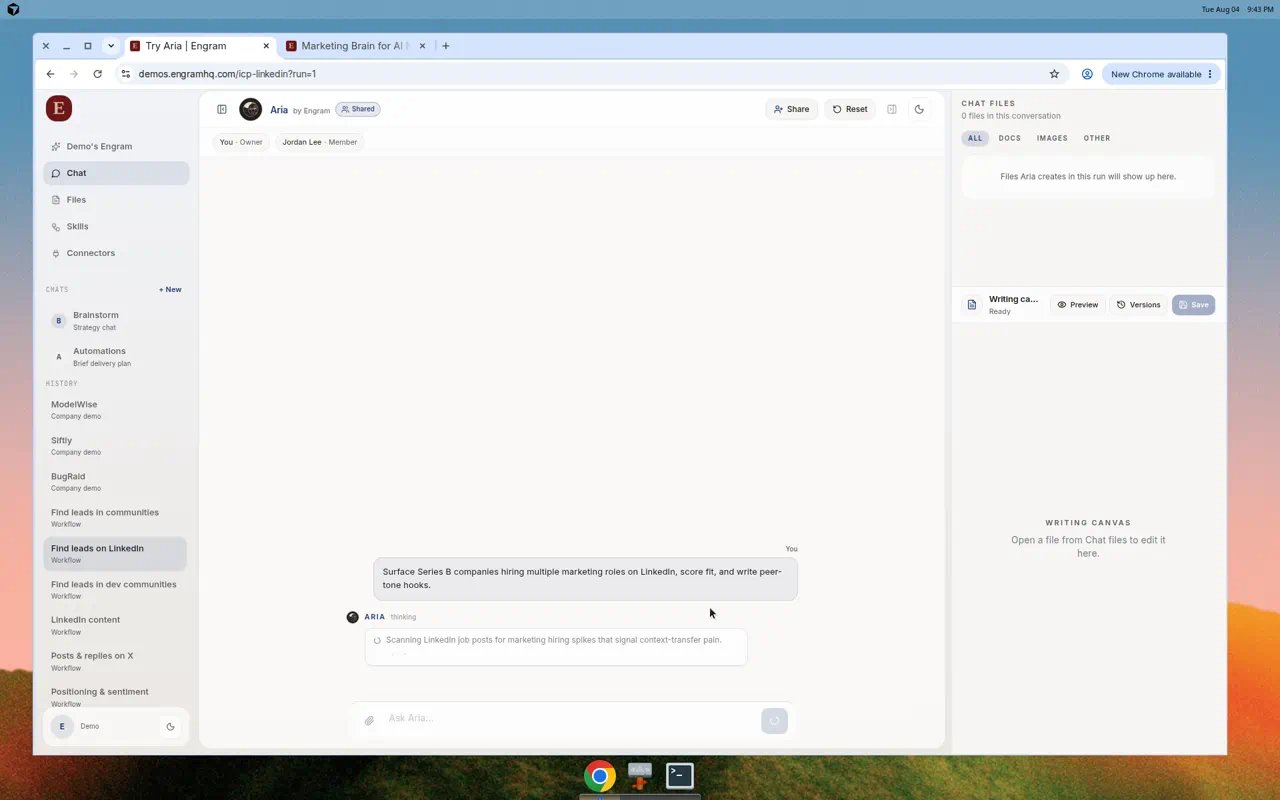
Surface Series B companies hiring multiple marketing roles on LinkedIn, score fit, and write peer-tone hooks.
Aria runs the LinkedIn scan inside Chat with progress and Chat files.
4
Review and promote
Open generated lists or hooks from Chat files, edit in Writing canvas, then promote to Files.
Expected output
- Shortlist of accounts with fit notes
- Outreach hooks in a peer tone
- Optional export to Notion or CRM connector if connected
Tips
- Connect Notion or HubSpot first if you want handoff out of Engram.
- If the skill shows Limited tools, fix Connectors before relaunch.
- Keep Brand Brain voice current so hooks sound like you.